This is a five-minute way to check whether your desk is too high for your body. It covers the cheap fixes, in the order that works, for anyone with a fixed-height desk, a dining table or a hand-me-down who is considering a sit-stand desk to stop shoulder, neck or wrist discomfort.
Why a Fixed Desk Causes Shoulder and Wrist Pain
If your shoulders ache by mid-afternoon at a fixed desk, the desk itself is often the cause, and the reason is usually its height. Most fixed desks are built to one height, and that height suits a fairly narrow range of people. Shorter users are rarely inside that range.
Once the surface is higher than your elbows, your body starts compensating in ways you stop noticing within a week. A sit-stand desk looks like the obvious cure, but for many people it is an expensive way to solve a desk that was a couple of inches too tall.
I learned this the slow way. I once bought a monitor arm to fix a posture problem that turned out to be a desk six inches too high, and no arm changes that.
By the end of this guide you will know:
- whether your desk is too high
- which compensation you are making
- what to fix first, and in what order
- when a sit-stand desk is genuinely the right purchase
What you’ll need
- A tape measure. This is essential, and it is the only thing you need for the diagnosis.
- A second person or a phone propped on a shelf. This is optional. It helps you see your shoulders and elbows honestly.
- Something to put under your feet. For the test, a sturdy box, a stack of books or a step stool works fine.
- Your current chair. You should know how high its seat goes before you spend anything.
1. Measure Your Seated Elbow Height
Sit with your feet flat on the floor, your back against the chair and your shoulders relaxed. Let your upper arms hang and bend your elbows so your forearms are level. Measure from the floor to the underside of your elbow.
It worked if your shoulders were fully dropped when you took the number. If they were lifted even slightly, measure again.
2. Measure the Height You Actually Type At
Measure from the floor to the top of your keyboard’s middle row, not just to the desk surface. A thick keyboard adds height, and that added height counts.
You now have two numbers. If the keyboard sits above your elbow, your desk is too high for you as you currently sit. Even a couple of inches matters over a full day.
3. Identify Your Compensation
A tall desk forces one of three habits. Sit and type normally for a minute, and have someone watch or film you.
- Shrugging. Your shoulders creep up so your forearms can clear the surface. The upper trapezius holds that lift all day, which is the classic neck-and-shoulder ache described in Cornell University’s ergonomics guidelines.
- Winging. Your elbows drift outward and forward to get your hands up and over the keys. This loads the shoulder from a different angle.
- Bending the wrists up. Your forearms rest on the desk edge while your hands tilt back to reach the keys. This sustained extension is where a lot of wrist discomfort starts.
It worked if you can name at least one. Many people do two.
4. Raise the Chair Until Your Elbows Meet the Keyboard
Lift the seat until your elbow height is level with, or slightly above, the middle row of keys. You will know it’s right when your shoulders drop and your wrists sit roughly straight without effort.
If the chair runs out of travel first, note the gap and go to step 6.
5. Restore Foot Support
Raising the chair usually leaves shorter people with their feet hanging. This is the step most setups skip, and it undoes step 4.
With your feet unsupported, the front edge of the seat presses into your thighs. You then slide forward to get your toes down, lose the backrest and start leaning toward the screen.
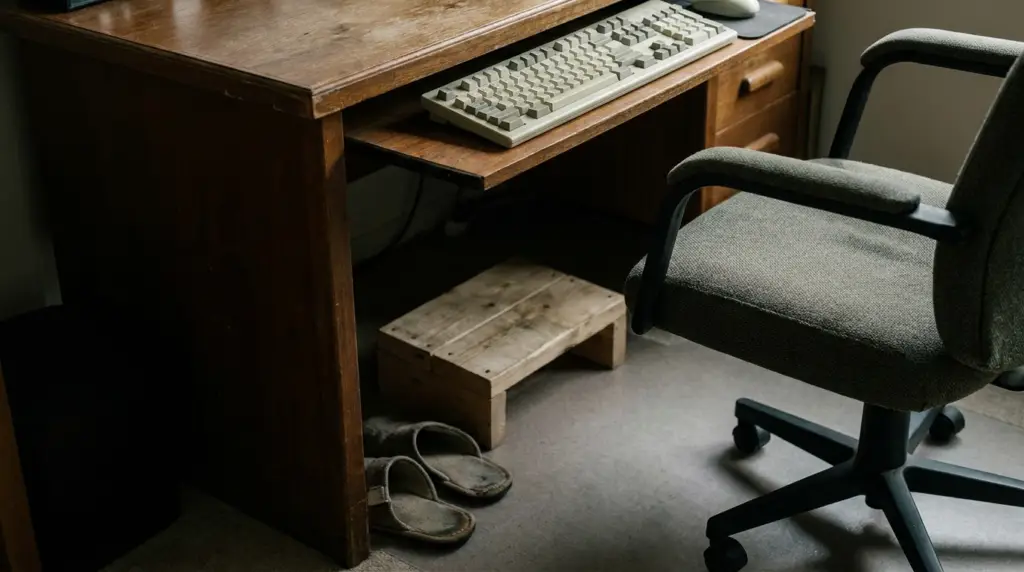
Put the box or books under your feet until your thighs are roughly level and the seat edge isn’t digging in. It worked if you can sit back in the chair and stay there.
Once you know the height you need, a proper footrest is tidier than a box. The ComfiLife model below adjusts between about 4 and 6 inches and flips over into a rocker, which gives your ankles something to do.
If you need more than 6 inches, it won’t be enough. Keep the box, or build up a stable platform instead.
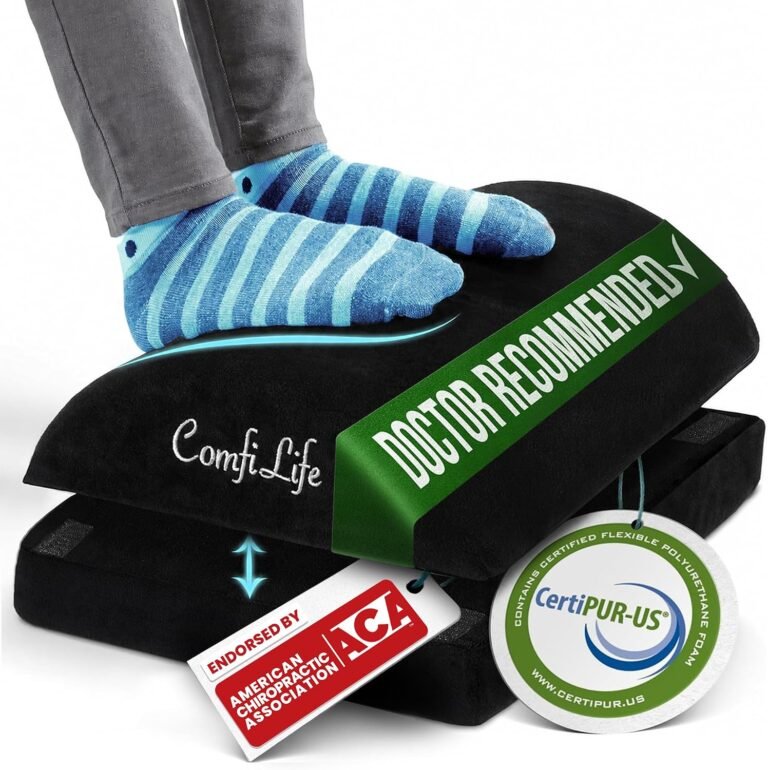
ComfiLife
The ComfiLife footrest is for people whose feet don’t sit comfortably on the floor when they’re working at a desk, particularly when chair height has been adjusted to work with the desk. It can also be useful for anyone who wants a cushioned surface for their feet, a gentle rocking option, or temporary knee support when sitting elsewhere.
Affiliate link — we may earn a commission, at no extra cost to you.
6. Lower the Keyboard if the Chair Can’t Go High Enough
Sometimes the chair tops out, or your thighs hit the underside of the desk before your elbows reach the keys. In that case, bring the keyboard down instead of bringing yourself up.
A clamp-on or screw-mounted under-desk keyboard tray puts the keys below the surface. Check two things before buying one:
- that your desk has a lip or underside you can clamp to
- that there is room for your knees beneath the tray
It worked if your shoulders stay dropped with your feet on the floor or the footrest.
7. Modify the Desk Surface or Legs
If the surface itself is the problem and you can change it, that is often the most permanent cheap fix. On many IKEA tops, the legs are a separate purchase and can be swapped for shorter or adjustable ones. A hand-me-down desk can sometimes be cut down.
A rented dining table, obviously, can’t. In that case, stay with steps 4 to 6.
8. Adjust the Monitor Last
Monitor height depends on your eye height, which only settles once your seat height is settled. Only after steps 4 to 7 should you raise or lower the screen, so the top of the viewable area sits around eye level and you aren’t tipping your head forward or back.
If you set the monitor first, you’ll end up setting it twice.
Common mistakes
Buying a standing desk converter to fix a seated problem. A converter sits on top of your desk and lifts the keyboard and screen together. While you are seated, it adds height to a surface that was already too high. It helps when you stand, but it does nothing for the six hours you sit.
Raising the chair and ignoring the feet. This trades a shoulder problem for a thigh-and-lower-back problem. Steps 4 and 5 belong together.
Resting the heels of your hands while typing. A wrist rest is for pauses. If you plant on it while your fingers reach up to the keys, you recreate the wrist extension from the tall desk.
Treating a chair as the fix. A new chair only helps if its seat range reaches the height your measurement calls for.
Practical tips
Before you replace your chair, check how high the current one actually goes. If it genuinely can’t reach your elbow-to-keyboard height, look for one with a seat range that clears it.
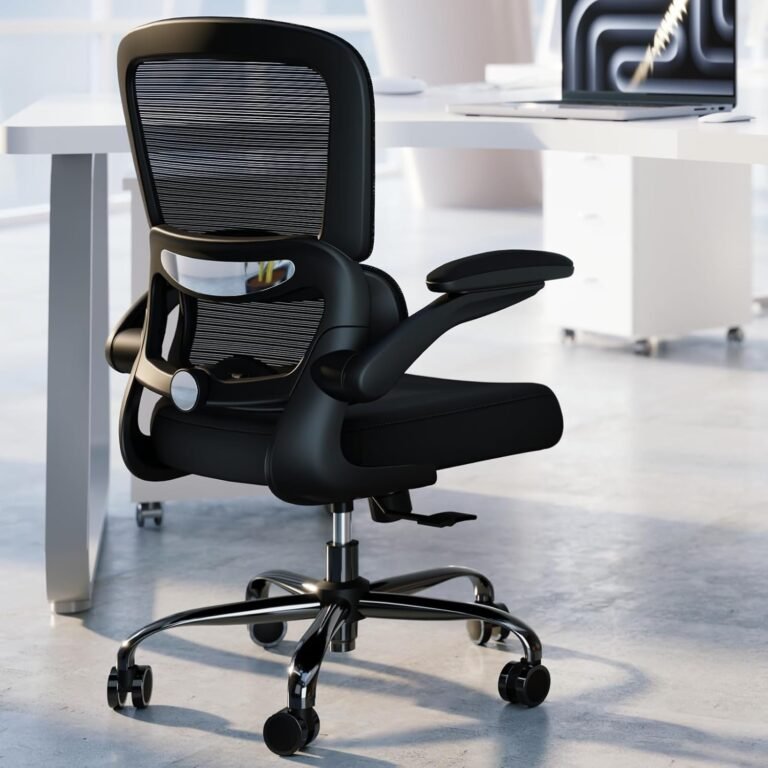
The TRALT below adjusts seat height, lumbar depth (about 4 cm of travel) and armrest height, and its armrests flip up so you can pull closer to the desk. Check the listed seat height range against your own measurement before buying, because that range is the only spec that matters here.
It isn’t the right choice if your floor is carpeted. The manufacturer recommends hard floors for the casters.
TRALT
TRALT Office Chair - Ergonomic Desk Chair with Adjustable Lumbar Support, Mesh Computer Chair
The TRALT chair is for home-office workers, students, creators and other desk users who spend long periods sitting at a computer. It makes the most sense for someone who wants adjustable lumbar support, seat height, recline and arm positioning without moving into a much more specialized or expensive office-chair category.
Affiliate link — we may earn a commission, at no extra cost to you.
If you share the desk, put the footrest and a sticky note with the seat height at your spot. Resetting then takes ten seconds rather than a day of creeping discomfort.
The best posture is mostly the next one. Even a well-fitted desk benefits from getting up regularly.
FAQ
Is my desk too high is really a question about the relationship between your elbows and your keyboard, not about the desk’s absolute height: a desk is too high when its surface, plus your keyboard’s thickness, sits above your relaxed, seated elbow height, forcing your shoulders, elbows or wrists to compensate to reach it. That threshold is personal — a desk that suits a taller partner or a previous tenant can be a couple of inches too tall for you, which is enough to matter over a full day of typing.
The questions below are the ones people ask most once they’ve taken the two measurements from the steps above and are deciding what to fix first: whether the ache and the height are actually connected, what the "correct" number even is, and whether the real fix is a sit-stand desk, a footrest, or something under the keyboard.
The Fix, In the Order That Matters
You should now be able to measure your seated elbow height, compare it with your keyboard, name the compensation you’ve been making and fix it in order: chair, feet, keyboard, desk, then monitor.
Most people solve this with a box and a raised seat. A few need a tray. Fewer still genuinely need a new desk.
Today, take the two measurements. If your keyboard is above your elbow, raise the chair and stack some books under your feet. Work that way for a morning before you buy anything.
FAQ
Is my desk too high if my shoulders ache?
A desk that’s too high is a likely cause of shoulder ache, though not the only one — poor lumbar support and a monitor set too low can produce a similar ache from a different direction. To check, measure your seated elbow height against the middle row of your keyboard, not just the desk surface itself. If the keys sit above your relaxed elbow height, your shoulders have almost certainly been doing the work of closing that gap, usually by creeping upward so your forearms can clear the surface. That shrug is easy to miss in the moment because it happens gradually over the first hour at the desk, but the ache it leaves behind by mid-afternoon is the same each day. If you catch yourself shrugging when someone watches you type, or notice your shoulders are higher in a mirror than they feel, the height mismatch is worth fixing before you try anything else, including a new chair.
What is the correct desk height?
There isn’t one correct desk height in inches — there’s a correct relationship between your elbow and your keyboard. The right height is the one where your keyboard’s middle row sits at, or very slightly below, your relaxed seated elbow height, with your shoulders down and your wrists roughly straight. Because that depends on your torso length, your chair’s seat height and even how thick your keyboard is, a desk that suits one person can be a couple of inches wrong for the person sitting at it next. This is why manufacturers quote a single fixed height, usually somewhere around 28 to 30 inches, that works reasonably well for an average-height adult and poorly for almost everyone else. If you’re shorter than average, that "standard" height is very often the one doing the damage, and the fix is rarely a new desk — it’s raising the chair and supporting your feet until the relationship is right.
Is a sit-stand desk worth it?
A sit-stand desk is worth it when you want to alternate sitting and standing and will actually do so, or when several people of different heights share one desk. It’s also worth it when neither a tray nor a raised chair fits your space. If the only problem is a surface a couple of inches too tall, a footrest and a raised chair usually solve it for far less.
Do I need a footrest if I raise my chair?
If raising your chair to match your elbow height lifts your feet off the floor, yes — a footrest isn’t optional at that point, it’s the second half of the fix. A sturdy box, a stack of books or a step stool works fine for testing before you buy anything specific. Without support under your feet, the front edge of the seat presses into the backs of your thighs, and most people respond by sliding forward to get their toes back on the ground. That small slide costs you the backrest, and once your lower back loses contact with the chair, you tend to lean toward the screen to compensate, which brings back a version of the same forward-head posture the taller desk was causing in the first place. A footrest that puts your thighs roughly level and keeps the seat edge from digging in solves this for the cost of a shoebox, or about fifteen dollars for a dedicated one.
Will a keyboard tray work on any desk?
No, and this is the check people skip most often before buying one. Clamp-on keyboard trays need a suitable edge or underside to grip — a flat desk lip a half-inch or so thick works well, but a desk with a thick apron, a solid front panel or a metal crossbar underneath often won’t accept the clamp at all. Even when the clamp fits, every tray also needs knee clearance once it’s mounted, since the tray itself and its mechanism take up several inches of the space your legs used to have. This combination catches out dining tables especially often: many have a wide central support beam or an apron running along the underside specifically to keep the top from flexing, and that’s exactly the structure a clamp needs to avoid. Measure the underside of your desk and the depth of the tray you’re considering before ordering one, and check the tray’s own knee-clearance spec against how much room your thighs have under the desk.