This is a spending order, not a shopping list. If you work from a laptop on a table that was never meant for it, and your neck, wrists or eyes have started complaining, this guide tells you which component to fix first and which popular upgrades to leave alone for now.
Introduction
Most home-workspace advice assumes you are buying one category at a time, with no ceiling. That isn’t the situation most people are in. You have a laptop, a table that came with the flat, a chair borrowed from the dining set, and somewhere between $300 and $600 that has to cover everything.
What makes the decision hard is that the thing that hurts may not be the thing that’s broken. A sore neck can be a screen-height problem rather than a chair problem. Tired eyes can be a lamp-position problem rather than a monitor problem. So the budget gets spent on the loudest symptom rather than the actual cause, and the discomfort may persist because the underlying geometry was not corrected.
So we start from the symptom, trace it to the component genuinely causing it, and spend in that order.
What to consider
Start with the symptom, not the product
Sit down at your setup and work for ten minutes as you normally would. Then notice where your body has gone. Is your chin pushed forward and down? Are your wrists resting on a hard edge? Are your shoulders up near your ears? Are you squinting past a bright window? Each of those points at a different component, and they cost wildly different amounts to fix.
If your neck hurts: screen height, not a new desk
A laptop on a typical table often places the display below a comfortable sightline, although the difference depends on the laptop, furniture and person. OSHA’s Computer Workstations eTool suggests placing the top of the screen at or just below eye level, at about arm’s length, as a general ergonomic starting point. The ergonomics material published by Cornell’s ergonomics group favours a screen below eye level with your gaze angled slightly downward. Either way, test the screen higher before replacing larger components. Raising the screen is the single highest-payoff change in most setups, and it can cost nothing.
The catch: once the screen goes up, the keyboard goes out of reach. That is why screen height and input devices are one purchase, not two.
If your wrists hurt: test the laptop keyboard and reach
A laptop keyboard is one common suspect because it fixes your hands at the same height and distance as the screen. Before buying anything, test keyboard reach, mouse reach, wrist angle and whether the desk edge is pressing into your forearms. An external keyboard and mouse separate the inputs from the display, so your forearms can sit roughly level with the desk and your wrists can remain straighter. This is the cheapest meaningful ergonomic intervention there is.
If your back hurts: assess the chair before the desk
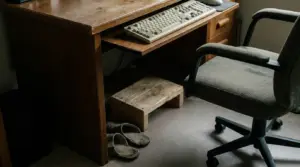
Before you buy, check desk height against your elbows. If your shoulders lift to reach the keyboard, raise an adjustable chair until the keyboard is around elbow height. If that leaves your feet unsupported, test a stable footrest. Prioritise replacing or modifying the desk only if that relationship remains unworkable. I bought an expensive monitor arm two apartments ago on the theory that it would sort my posture. The desk was six inches too tall. The cheapest fix I’ve ever made came after the most expensive one. The lesson was to correct the whole desk-chair relationship rather than expecting one component to compensate for everything else.
If the height is roughly right and your lower back still aches after an hour, first vary your sitting duration and movement, then test available lumbar support and desk-chair alignment. A different chair becomes worth considering if those tests point back to inadequate support or adjustment.
If your eyes are tired, or you can’t concentrate
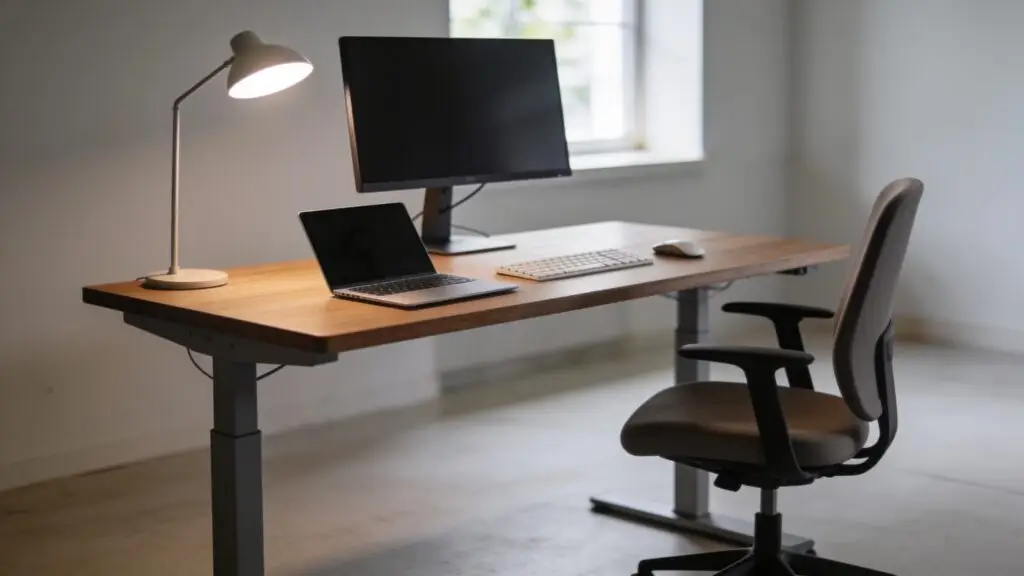
Glare and brightness contrast are worth testing before the screen itself. A window directly behind or in front of your monitor forces your eyes to arbitrate between two very different brightnesses all day. Turning the desk 90 degrees so the window sits to one side costs nothing. A directed desk lamp for evenings costs little.
Concentration is a separate test. Clear the arc directly behind your screen for a working session and notice whether removing visual clutter makes it easier to settle. It costs nothing, and it does not require treating clutter as a physiological cause of eye fatigue.
Buying criteria
- Fit: Measure desk height, elbow height, available depth and the distance to your screen before ordering.
- Adjustability: Prioritise useful ranges — height, tilt, lumbar position or input angle — over a long feature list.
- Returnability: Test chairs and input devices within a clear return window; comfort cannot be settled from dimensions alone.
- Used or refurbished value: Chairs and sturdy stands often offer better value used. Check adjustment mechanisms, wear and replacement-part availability.
Recommended product categories and spending plans
Follow the complaint: screen positioning typically costs $0–$70, input devices $25–$100, chair or desk-height correction $0–$400, and lighting $0–$60.
A plan capped at $300
- Screen positioning — $20: First use books or a box. If the higher sightline helps your neck, buy a basic stand.
- Input devices — $40: First use any keyboard and mouse you own. If reach and wrist angle improve, replace them with a simple external set.
- Chair or desk-height correction — $210: First adjust the chair, add a cushion and test a stable box as a footrest. If back support or alignment remains poor, put this towards a refurbished adjustable chair or the smaller height correction established by the test.
- Lighting — $30: First turn the desk and alter blinds or room lights. If eye fatigue improves but evening light remains uneven, add a directed lamp.
Total: $20 + $40 + $210 + $30 = $300.
A plan capped at $600
- Screen positioning — $60: First test books; then buy a more adjustable stand only if neck position improves.
- Input devices — $80: First test borrowed or existing devices; then buy for comfortable reach and wrist angle.
- Chair or desk-height correction — $400: First test chair height, movement, support and a footrest; then spend only on the correction those tests justify.
- Lighting — $60: First control window glare and brightness; then add adjustable task lighting if needed.
Total: $60 + $80 + $400 + $60 = $600.
The allocation changes with the diagnosed complaint. A serviceable chair should not be replaced merely because the $600 plan permits it; move that money to the proven constraint or do not spend it.
Symptom-to-fix comparison
| Symptom | Common suspect | Free test | Paid fix | Priority | |—|—|—|—|—| | Neck | Low screen | Raise it on books | Stand | High | | Wrist | Reach, angle or edge pressure | Reposition inputs | Keyboard and mouse | High | | Eyes | Glare or contrast | Turn desk, adjust blinds | Task light | Medium | | Back | Sitting pattern or poor alignment | Move, adjust chair, test footrest | Chair or height correction | High if persistent | | Concentration | Busy sightline | Clear behind screen | None initially | Test first |
Where to start for your complaint
- Neck: Raise the display, then separate the keyboard and mouse.
- Wrist: Test reach, angle and desk-edge pressure before choosing inputs.
- Eye: Control window position, glare and brightness contrast first.
- Back: Check movement, lumbar support and chair-desk alignment.
- Concentration: Clear the sightline and run one normal work session before buying anything.
Popular upgrades to leave alone for now
Postpone these unless the diagnostic test establishes a need:
- A monitor arm when books or a basic stand already set the correct height.
- A standing desk before seated desk height is corrected.
- A larger or second monitor as a presumed cure for neck or eye discomfort.
- A premium mechanical keyboard without a wrist-angle or reach rationale.
- Decorative lighting before glare and brightness contrast are controlled.
- A replacement desk when chair height plus a stable footrest can create workable elbow alignment.
Reader questions
Frequently Asked Questions
How long should I test a free adjustment?
Use it through at least one normal work session. A change that only feels tidy for five minutes has not proved much.
Can a footrest be improvised?
Yes, if it is stable, broad enough for both feet and does not slide. It is a test before a purchase, not necessarily the permanent answer.
When is this no longer an equipment question?
Persistent, severe or worsening pain, numbness, or pain that is not specific to working warrants professional medical advice rather than another equipment purchase.
Final recommendation
Before spending, take one normal working session and change only one variable at a time: raise the screen, separate the inputs, align chair and desk, then control glare. Buy in the first place where the free test produces a clear improvement: screen positioning and inputs first, chair or desk-height correction next, and lighting where contrast remains a problem. If no test helps, keep the money until the real constraint is clearer.